
ABC Analysis (Products)
Segment your product catalog by revenue contribution in Bitrix24
Ücretsiz
-
Değerlendirme
-
Kurulum sayısı91493
-
GeliştiriciAlaio, inc
Açıklama
ABC Analysis of Products automatically segments SKUs into A, B, and C categories based on their revenue share fr om closed Bitrix24 deals. It is built for category managers who need to prioritize product focus based on actual sales data.
Why businesses use it
Not all products contribute equally to revenue. Category managers need a fast, data-driven way to identify which SKUs drive most of the business and which consume resources without proportional returns.
Business value
• Automatically classify products into A, B, and C categories by revenue share
• Identify the top 10 products by sales volume
• See the full product list with assigned ABC category and revenue share
• Adjust category thresholds to match your business model
Common use cases
• Identify which products make up 80% of revenue (Category A)
• Review Category C products for rationalization decisions
• Prioritize stock management and promotions around Category A items
• Compare ABC distribution across periods or pipelines
How it works
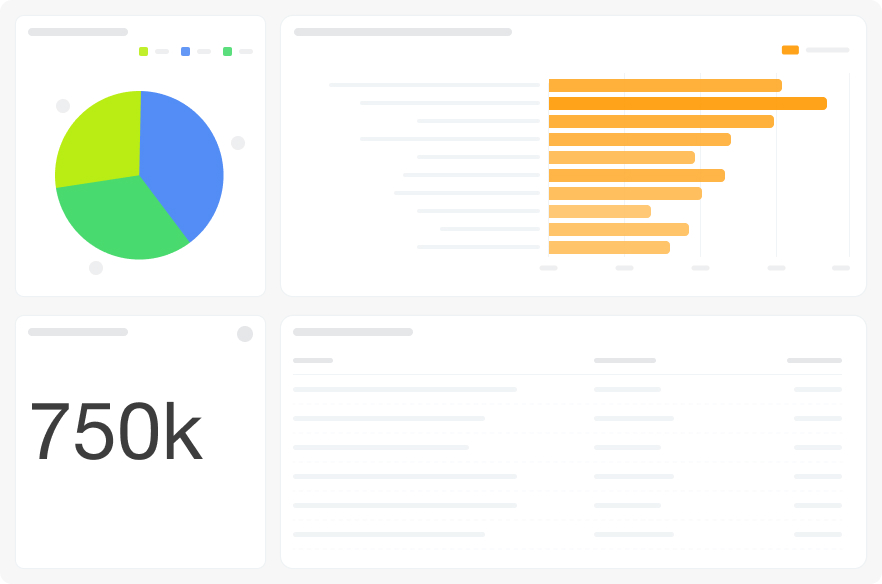
The dashboard connects to deal product row data (crm_deal_product_row). Four visualizations cover the ABC distribution pie, total sales KPI, top-10 product bar chart, and full product table with ABC assignment and revenue share. The Category A threshold is configurable via filter. Filters: Period, % Revenue for Category A, Pipeline.
FAQ
We suspect a handful of products generate most of our sales but we've never calculated it systematically. How does this show it?
The ABC distribution pie and the top-10 products bar chart show revenue concentration immediately. The "all products" table gives you the full ranked list with each SKU's share of total revenue.
We want to rationalize our product catalog and stop investing in low-performing SKUs, but we need data to support the decision. Wh ere do I start?
Category C products — those contributing the least to revenue — are identified automatically. The table shows each product's ABC category and exact revenue share so you can build a fact-based case for rationalization.
The standard 80/15/5 split doesn't reflect how revenue is actually distributed in our catalog. Can we adjust it?
Yes — use the "% Revenue for Category A" filter to set the threshold that fits your catalog. The ABC assignments recalculate automatically.
What is needed to connect to Bitrix24?
Access credentials for the Bitrix24 BI connector, configured during app installation.
Why businesses use it
Not all products contribute equally to revenue. Category managers need a fast, data-driven way to identify which SKUs drive most of the business and which consume resources without proportional returns.
Business value
• Automatically classify products into A, B, and C categories by revenue share
• Identify the top 10 products by sales volume
• See the full product list with assigned ABC category and revenue share
• Adjust category thresholds to match your business model
Common use cases
• Identify which products make up 80% of revenue (Category A)
• Review Category C products for rationalization decisions
• Prioritize stock management and promotions around Category A items
• Compare ABC distribution across periods or pipelines
How it works
The dashboard connects to deal product row data (crm_deal_product_row). Four visualizations cover the ABC distribution pie, total sales KPI, top-10 product bar chart, and full product table with ABC assignment and revenue share. The Category A threshold is configurable via filter. Filters: Period, % Revenue for Category A, Pipeline.
FAQ
We suspect a handful of products generate most of our sales but we've never calculated it systematically. How does this show it?
The ABC distribution pie and the top-10 products bar chart show revenue concentration immediately. The "all products" table gives you the full ranked list with each SKU's share of total revenue.
We want to rationalize our product catalog and stop investing in low-performing SKUs, but we need data to support the decision. Wh ere do I start?
Category C products — those contributing the least to revenue — are identified automatically. The table shows each product's ABC category and exact revenue share so you can build a fact-based case for rationalization.
The standard 80/15/5 split doesn't reflect how revenue is actually distributed in our catalog. Can we adjust it?
Yes — use the "% Revenue for Category A" filter to set the threshold that fits your catalog. The ABC assignments recalculate automatically.
What is needed to connect to Bitrix24?
Access credentials for the Bitrix24 BI connector, configured during app installation.

Sürüm geçmişi
Sürüm 3
bug fixes
23.06.2026
Sürüm 2
bug fixes
03.12.2025


